English
To understand eARC, we first need to look at the base ARC standard. Its real value is usability, not raw performance. ARC allows an HDMI port to act as both input and output, letting you route audio from Smart TV apps back to a soundbar without needing a separate Optical cable. This also enables HDMI-CEC, so a single action like turning on a PS5,it can automatically wake your TV and audio system.
However, ARC does not improve audio quality. Like the Optical cables it replaced, ARC is capped at compressed 5.1 audio (Dolby Digital). This is why home theater enthusiasts often bypass ARC entirely, connecting sources directly to their receiver to preserve lossless formats like Dolby TrueHD and DTS-HD MA.
Recognizing ARC’s format limitations, the HDMI Forum introduced eARC as part of HDMI 2.1. Its jump from ARC’s roughly 1 Mbps bandwidth to about 37 Mbps enables higher channel counts and support for uncompressed formats like Dolby TrueHD and DTS-HD MA, all while keeping the convenience of routing audio out through the TV’s HDMI eARC port. eARC also makes features like automatic lip-sync correction mandatory, though how well it works can still depend on the devices and apps involved.
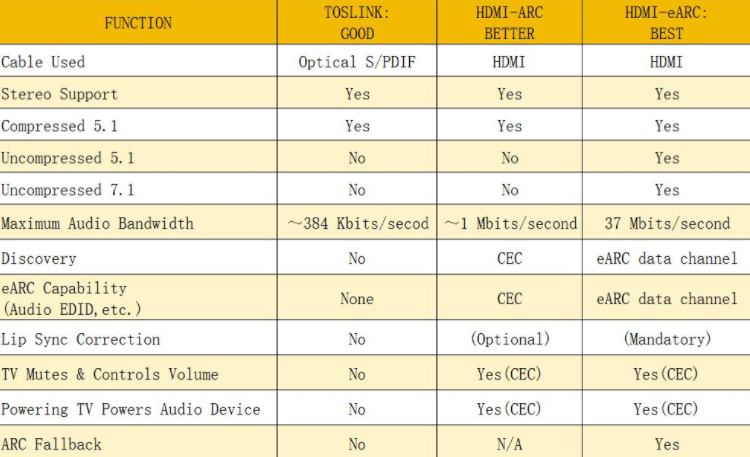
Everyone's home theater needs are different, and having a TV and soundbar/receiver that supports eARC can increase your options when you first set up your home theater and even when you rework or upgrade your devices.
Let's pretend you have a setup planned with the following devices:
1. Desktop PC
2. PS5
3. Blu-ray player
Each device can output high-quality or lossless audio; however, not all soundbars have three HDMI inputs for video passthrough (some have none). If you prefer all your source devices to connect to one 'hub,' you can use the TV as a device hub and pass through audio signals to your soundbar:
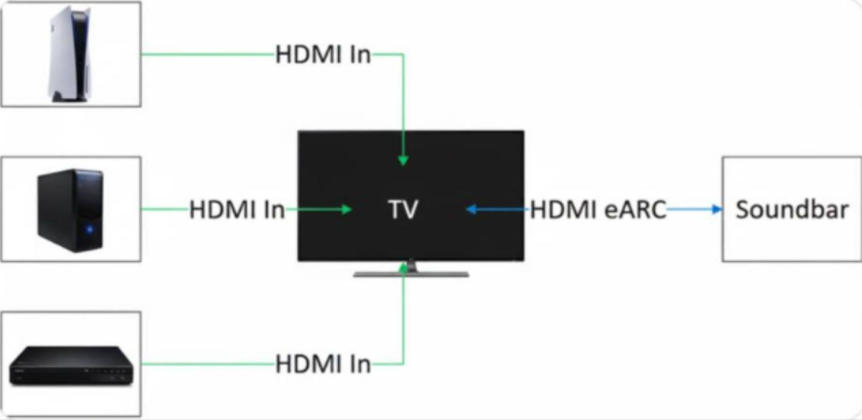
With an eARC-enabled HDMI port on your TV, you can pass through all the audio from multiple sources in most formats to the soundbar.
Now, if you've decided on a wall-mounted TV, making ports difficult to access? There are a few soundbars that can accommodate 3x HDMI 2.1 inputs, like the Nakamichi DRAGON, so let's examine a scenario where you decide on a soundbar that can act as a device hub, and opt for a more traditional audio routing setup that resembles those predating ARC/eARC:
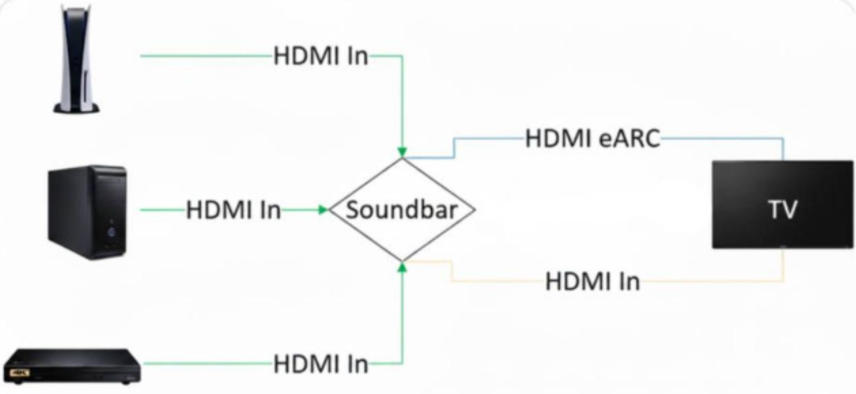
Using HDMI eARC, you can pass through video from multiple sources to your TV, and receive audio through the return channel from onboard apps available on your Smart TV. Note: HDMI eARC audio and HDMI In video signals are shown separately to illustrate the direction of data transmission, but both signals pass through one cable.
Incidentally, there are also limitations regarding ARC/eARC port allocation and HDMI bandwidth. The soundbar being used as a hub must have at least two HDMI 2.1 inputs to support the higher video bandwidth requirements of the PS5 and Desktop PC.
At this point, you should have the background knowledge and understanding of what HDMI ARC/eARC brings to the table over an alternative like Optical. And after looking at real-world products with an example setup, you can start planning your next big upgrade, create your first soundbar setup, or rearrange your existing home theater just to tidy things up a bit.
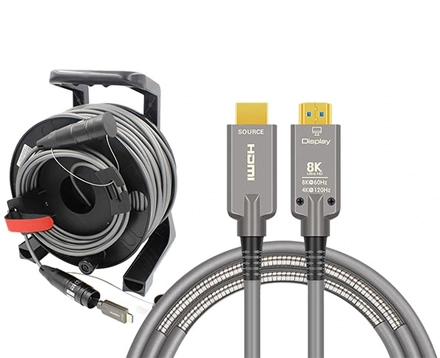
The performance of eARC depends heavily on a high-quality HDMI 2.1 cable. AOCFIBERLINK specializes in fiber-optic solutions for the audio-visual industry, and our HDMI, DP, and USB fiber cables are trusted by customers worldwide. You can rely on the quality we deliver.
Here are some of our most popular models for home-theater setups:
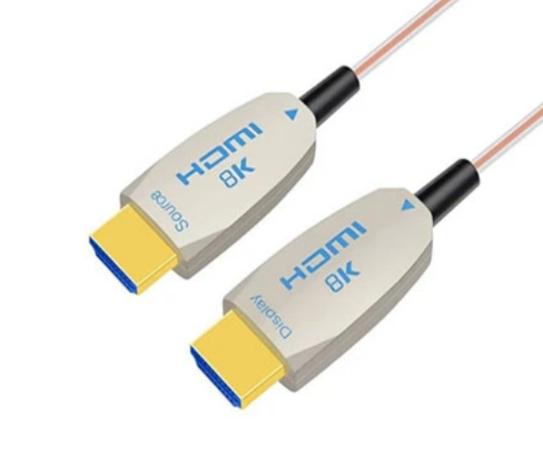 | -With an 2.5x3.5mm ultra-thin and flexible design. -Unparalleled 8K 60Hz definition; |
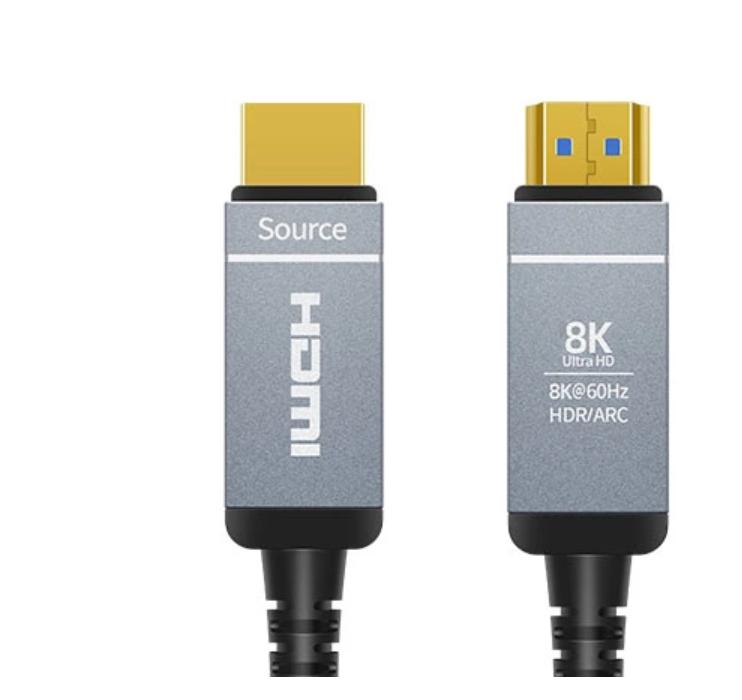 | -German Silicon-Line Gmbh VSCEL IC driver(chipset); -Unparalleled 8K 60Hz definition; -Elegant aluminum-alloy housing |
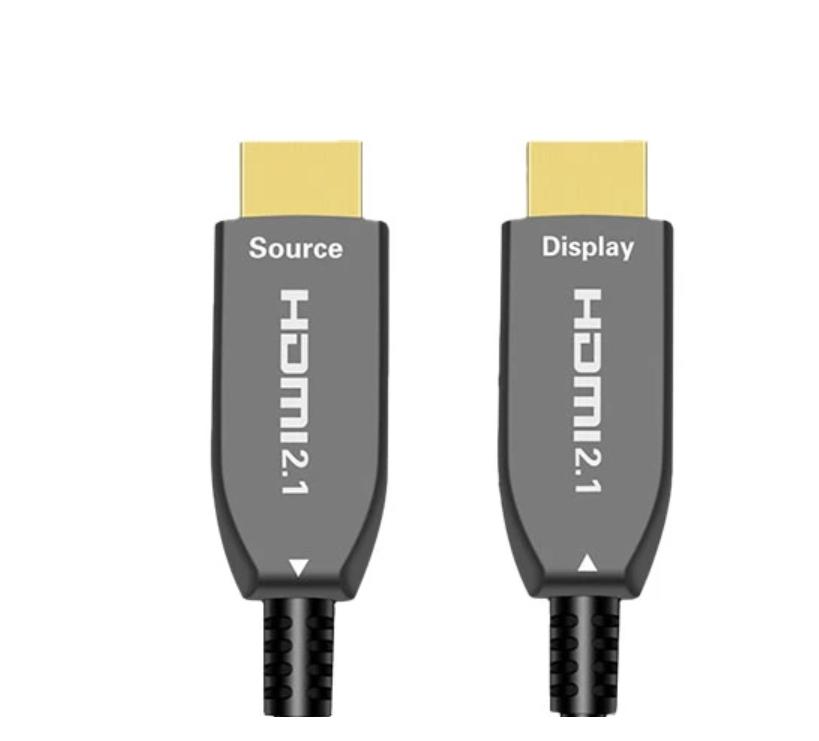 | -Unparalleled 8K 60Hz definition; -Maximum 240Hz ideal for immersive entertainment; |
Our cables are built to last, backed by a two-year warranty. We also offer custom lengths and logo branding to meet specific customer needs.By sourcing directly from the factory, you avoid middleman markups—AOCFIBERLINK is a brand you can trust.
Copyright © Shenzhen Fiberlink Tech Co., Ltd. All Rights Reserved. Trusted Partners:https://www.aocfiberlink.com/