English
Even those familiar with interfaces like HDMI, DisplayPort, DVI, and VGA may still be confused when they see the DP++ logo on a device, as it stands for Dual-Mode DisplayPort. How does it differ from standard DisplayPort? This article will provide an in-depth analysis of how DP++ works.
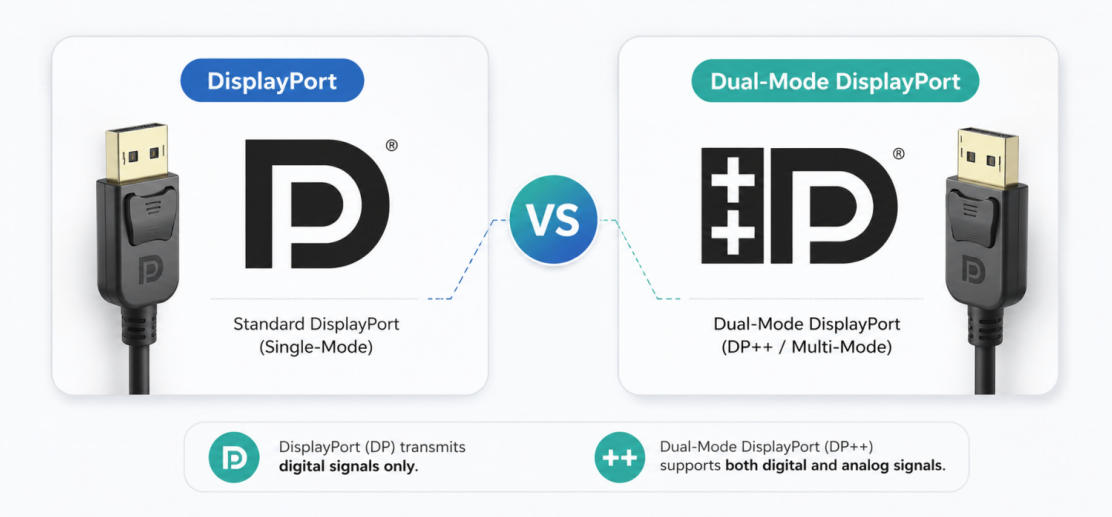
DisplayPort (DP) is a digital display interface designed to connect computers to monitors, TVs, or projectors. Like HDMI, it transmits high-quality video and audio simultaneously over a single cable. For example, DisplayPort cable 2.1 supports 8K/120Hz and 4K/240Hz. Its DP ALT mode allows video transmission via the Type-C interface. DisplayPort is frequently favored by gamers, creators, and professionals because it supports higher resolutions, faster refresh rates, and simplified multi-monitor setups.
DP++ (Dual-Mode DisplayPort) is defined in the VESA DisplayPort specification as an optional feature that enables DisplayPort sources to output HDMI or DVI-compatible signals through passive adapters, which functions similarly to standard DisplayPort (DP), but its key advantage lies in its ability to support multiple monitor types. This compatibility makes DP++ particularly versatile.
DP++ (Dual-Mode Bidirectional Connectivity) allows display ports to natively output signals compatible with HDMI/DVI. Its core operation lies in the device's (such as a graphics card) ability to automatically detect the cable type and directly convert pure DP packets into TMDS signals, thus eliminating the need for expensive active converters and achieving seamless connectivity.
1. Dual-mode recognition: The DP++ interface includes special identification pins. When a cable is plugged in, the interface detects the cable type.
2. Automatic signal adaptation: If a DP monitor is connected, it transmits the native DP signal; if a passive adapter (such as a DP to HDMI cable) is plugged in, the device automatically switches its operating mode, directly generating an HDMI/DVI compatible TMDS signal within the DisplayPort port.
3. Passive cable direct connection: Because the signal conversion is completed within the port, users only need to use inexpensive passive conversion cables, eliminating the need for an additional power supply to an active conversion chip for image output.
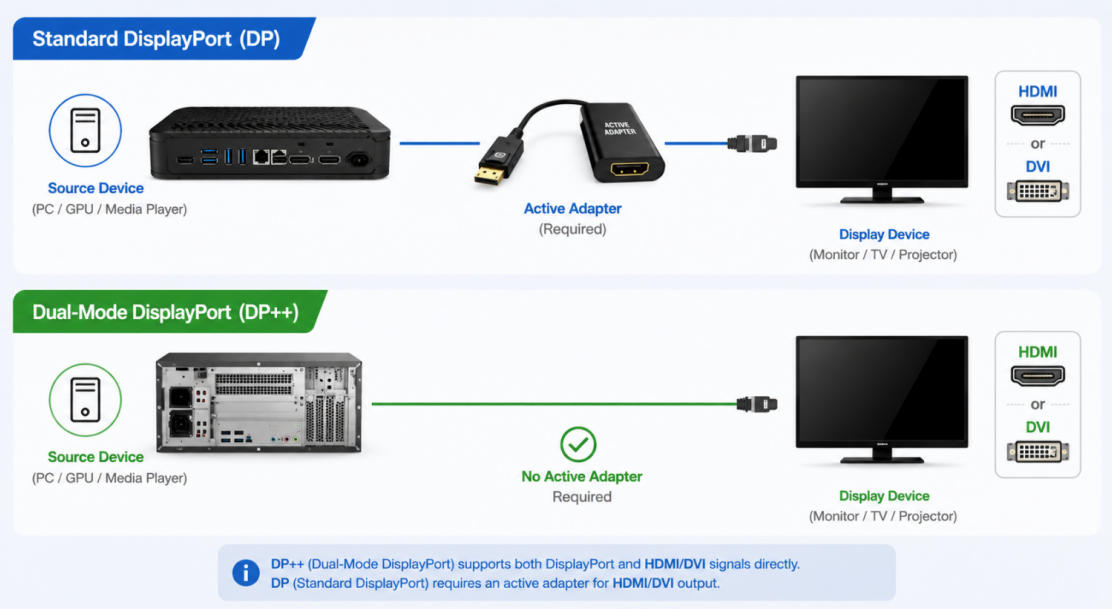
The underlying logic of traditional DP signals (LVDS protocol) and HDMI/DVI signals (TMDS protocol) is different. If the graphics card does not support dual-mode, the native DP interface cannot be directly connected to an HDMI monitor via a regular cable; an expensive active adapter with a built-in conversion chip must be used. The DP++ interface, however, integrates support for the HDMI/DVI protocol at the hardware level. Once the computer recognizes the adapter, it automatically switches the pins to output HDMI/DVI format signals.
DisplayPort (DP) and Dual-Mode DisplayPort (DP++) look exactly alike—they both use the same 20-pin connector shape, so you won't notice any physical differences. However, their main difference lies in signal compatibility:
Standard DP port: Only supports native DisplayPort signals, making it ideal for direct connection to DisplayPort monitors.
Dual-Mode DP (DP++) port: Can use a passive adapter to convert DisplayPort signals to HDMI or DVI, allowing seamless connection to HDMI or DVI monitors.
Therefore, if both your computer and monitor have DP ports, a standard DP-to-DP cable will work perfectly. But if your monitor only has HDMI or DVI ports, you'll need an active adapter to convert the standard DP port signal. However, with DP++, a passive DP-to-HDMI or DP-to-DVI cable can do the job, without an active adapter!
| Feature | DP | DP++ |
|---|---|---|
| Signal type | Native DP | DP or HDMI/DVI |
| Adapter support | Active required | Passive supported |
| Compatibility | Limited | Higher |
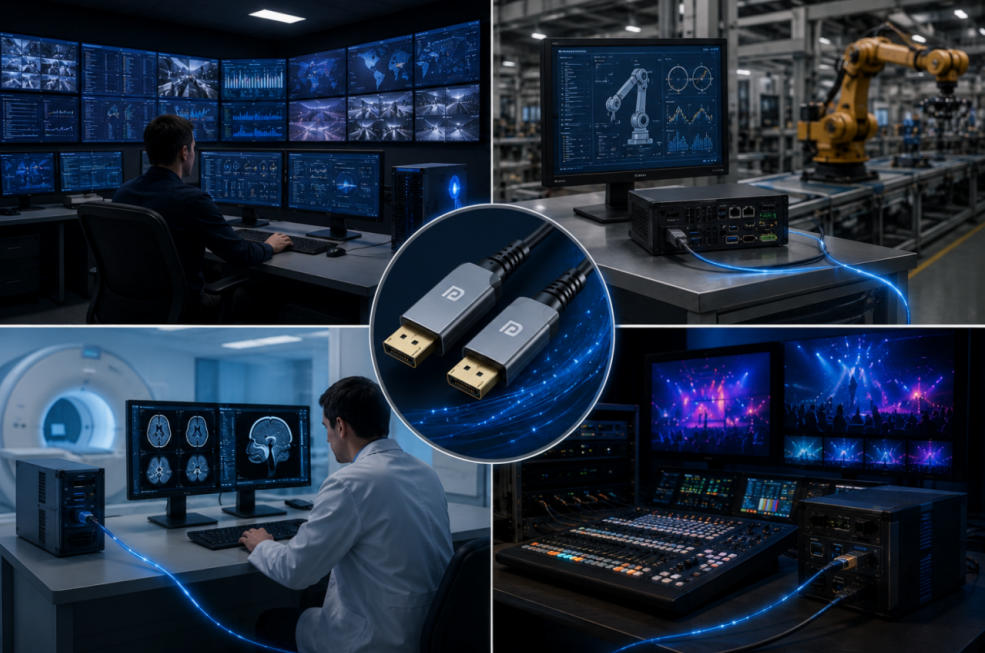
In industrial and professional audiovisual environments, connectivity consistency, stability, electromagnetic interference (EMI) immunity, and compatibility with specialized displays are paramount. Therefore, DisplayPort (DP) is generally superior to dual-mode DisplayPort (DP++). While DP++ offers the flexibility of HDMI and DVI support, DP is designed for environments requiring reliable, uninterrupted connectivity, especially when paired with fiber optic DisplayPort cables.
Stronger Signal Integrity: Fiber optic DP cables transmit pure DisplayPort signals without the additional HDMI or DVI layer, helping to reduce interference issues—especially in high-EMI environments. This makes it more reliable under harsh conditions.
Better Compatibility with Industrial Displays: Industrial displays are typically designed as native DP signals, providing better performance and supporting longer cable lengths through standard DP. This ensures stable performance, even in multi-monitor setups.
Limited Need for HDMI/DVI Compatibility: Industrial applications rarely require HDMI or DVI because DisplayPort is the standard for specialized devices. Focusing on pure DP signals improves reliability and uptime—crucial in demanding workflows.
If your monitor supports DisplayPort, a standard DP connection is always preferred for maximum performance and stability.
If you need to connect to HDMI or DVI displays, DP++ allows the convenience of passive adapters. However, for higher resolutions or guaranteed compatibility, an active adapter is recommended.
In summary, while DP++ offers flexibility, the dedicated design of standard DP better meets the stability, EMI resilience, and compatibility requirements of industrial environments, making it the preferred choice for critical applications.
How can I tell if my DisplayPort supports DP++?
Most DP++ ports are identified by a DisplayPort logo followed by a "++" symbol. However, not all manufacturers label their ports clearly. The most reliable method is to check the device specifications or graphics card documentation to confirm Dual-Mode DisplayPort support before using a passive DP-to-HDMI or DP-to-DVI adapter.
Can a DisplayPort AOC (Active Optical Cable) be used with DP++?
Yes. A DisplayPort AOC can be used with DP++ devices when a native DisplayPort connection is required. However, DP++ functionality itself is primarily designed for HDMI or DVI compatibility through passive adapters. For long-distance transmission, DisplayPort AOC solutions are often preferred because they provide greater bandwidth, longer reach, and improved immunity to electromagnetic interference.
Why is my DP to HDMI cable not working?
A DP to HDMI cable may not work if the DisplayPort source does not support DP++, the adapter is incompatible, or the required signal conversion is not available. In these situations, an active DisplayPort to HDMI adapter is typically required to convert the native DisplayPort signal into an HDMI-compatible format.
Copyright © Shenzhen Fiberlink Tech Co., Ltd. All Rights Reserved. Trusted Partners:https://www.aocfiberlink.com/