English
Running HDMI cables through conduits is common in commercial AV installations, home theaters, control rooms, and industrial display systems. However, long-distance HDMI transmission is highly sensitive to installation conditions. There is nothing worse than finishing a clean install, plugging in the source, and seeing nothing. No signal. When dealing with fiber optic HDMI cables, "rough handling" is the enemy. However, many failures are due to simple, preventable errors during the pull.
This article explains the most common installation mistakes and provides practical engineering guidance to ensure stable long-distance HDMI transmission.
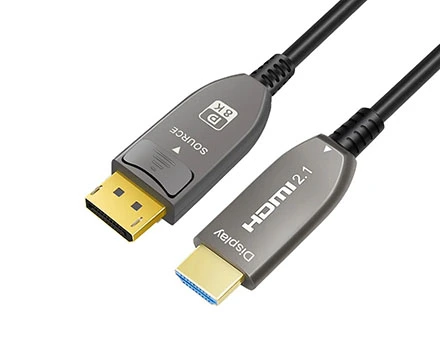
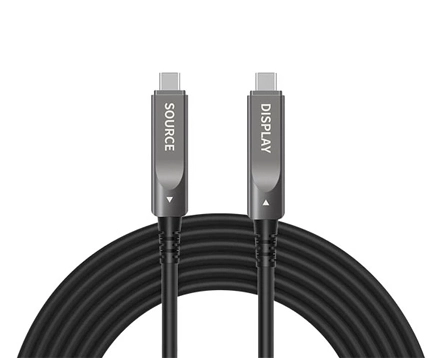
Unlike passive copper HDMI cables, active optical HDMI cables (AOC) are directional, meaning they have a fixed signal flow from Source → Display. Each end contains different integrated chipsets, and reversing them will result in no signal output.
Always verify the connector labels before installation, especially in long conduit runs where repositioning is difficult or impossible after pulling.
Directional design is required because signal conversion (electrical-to-optical and back) is processed asymmetrically between the two ends.
For professional installations, always pre-identify the "Source" and "Display" ends before routing the cable through ceilings, conduits, or wall systems.
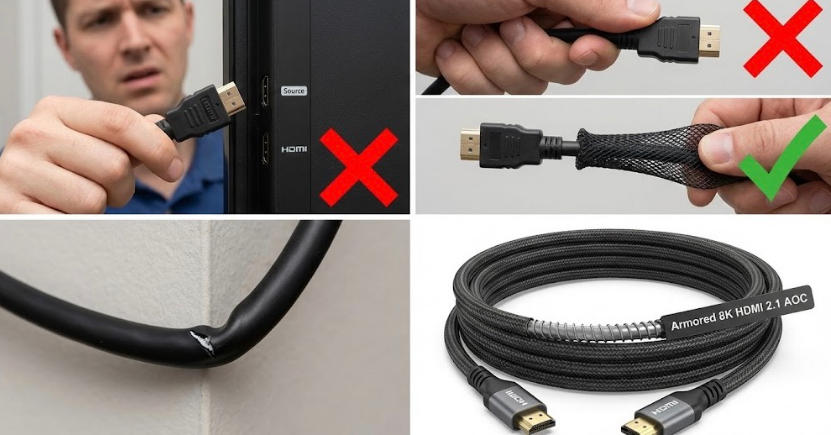
One of the most common installation failures occurs when installers apply pulling force directly on the HDMI connector. The connector-cable junction contains delicate optical and electrical transition points that are not designed for mechanical stress.
Always use a pulling sock (mesh grip) or pulling tape attached to the cable jacket, not the connector head.
Excess tension at the connector junction can damage internal fiber alignment or break soldered transition points, leading to intermittent or permanent signal failure.
For long conduit runs, ensure pulling force is distributed evenly along the cable jacket rather than concentrated at termination points.
Fiber optic HDMI cables use optical glass fibers that are sensitive to micro-bending stress. Excessive bending—especially sharp 90-degree turns inside conduits—can permanently affect signal transmission.
Use gradual sweeping bends instead of sharp angles wherever possible.
When the bend radius is too tight, light transmission within the fiber core becomes unstable, resulting in attenuation or complete signal loss.
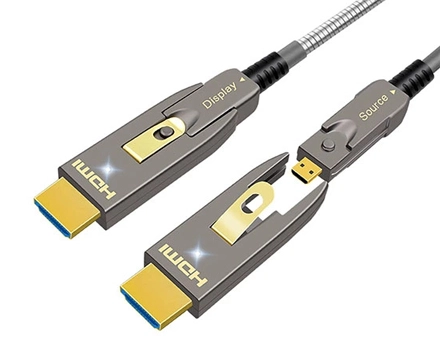
Use sweeping bends. Or, upgrade to Armored AOC. Our spiral steel armor limits the bend radius physically, preventing the fiber from snapping under stress.
Improper cable management is another frequent cause of hidden HDMI failures. Over-tightened zip ties or clamps can compress the cable structure, affecting the internal fiber and shielding layers.
Use Velcro cable straps instead of rigid or over-tightened plastic ties.
Excessive localized pressure can introduce micro-deformations in the fiber cladding, which may result in increased signal loss or long-term degradation.
In professional conduit or rack environments, armored HDMI cables provide additional mechanical protection and improved resistance to external compression forces.
Installing HDMI cables without pre-testing is a high-risk practice in professional AV systems. Although manufacturing defects are rare, transport damage or handling stress can still occur.
Always perform a bench test before final installation, especially for long-run or in-wall conduit applications.
Verify stable video output at target resolution (e.g., 4K or 8K)
Confirm HDMI handshake stability between source and display
Run continuous playback testing for at least 20–30 minutes
Early detection of signal instability significantly reduces rework cost after conduit sealing or wall closure.
Successful long-distance HDMI installation through conduits depends on more than just cable quality. The key factors include:
Proper cable type selection (AOC or fiber HDMI for long distance)
Controlled bend radius inside conduits
Correct pulling method and tension control
EMI-aware installation planning
Pre-installation testing before sealing walls
For professional AV, broadcast, or industrial applications, fiber optic HDMI solutions are strongly recommended for stable, long-distance transmission reliability.
1. What type of HDMI cable is best for long-distance conduit installation?
For long-distance conduit installations, active optical HDMI (AOC) or fiber optic HDMI cables are the most reliable options. Unlike standard copper HDMI cables, they convert electrical signals into optical transmission, which significantly reduces signal attenuation and electromagnetic interference (EMI). This makes them suitable for runs beyond 10–15 meters, especially for 4K or higher resolution systems in professional AV environments.
2. How far can HDMI cable run without signal loss?
A passive copper HDMI cable typically maintains stable performance up to 5–10 meters for 4K signals and up to 15 meters for 1080p, depending on cable quality. Beyond this distance, signal degradation becomes more likely. For longer runs inside conduits, active optical HDMI or fiber HDMI cables can support distances from 20 meters up to 100 meters or more without noticeable signal loss.
3. Why does HDMI signal fail inside conduit installations?
HDMI signal failure in conduit systems is usually caused by a combination of factors, including excessive cable bending, high pulling tension during installation, EMI interference from nearby electrical lines, and using copper HDMI cables beyond their effective transmission distance. These issues can lead to handshake failures, flickering displays, or complete loss of signal.
4. What is the minimum bend radius for fiber optic HDMI cables?
Most fiber optic HDMI cables require a minimum bend radius of approximately 20–30 mm, depending on the manufacturer. Exceeding this limit can cause micro-bending in the optical fibers, leading to permanent signal degradation or intermittent performance issues. During conduit installation, smooth curves and proper conduit fittings are strongly recommended.
5. Can HDMI cables be damaged during conduit pulling?
Yes, HDMI cables—especially active optical and fiber optic types—can be damaged if excessive pulling force is applied during installation. Over-tension can damage internal optical fibers or active IC components, even if the damage is not immediately visible. Using cable lubricant and controlled pulling tension is recommended to ensure long-term reliability.
6. How do I prevent HDMI signal loss in professional AV installations?
To prevent HDMI signal loss, use the correct cable type for the distance (AOC or fiber optic HDMI for long runs), avoid sharp bends inside conduits, ensure proper separation from power cables to reduce EMI, and always test signal stability before sealing installations. Following these engineering practices significantly improves long-term system reliability in commercial and industrial AV setups.
Copyright © Shenzhen Fiberlink Tech Co., Ltd. All Rights Reserved. Trusted Partners:https://www.aocfiberlink.com/