English
Yes, DisplayPort can transmit audio when the device is compatible and the system is configured correctly. Since version 1.1, DisplayPort has supported the simultaneous transmission of high-definition video and digital audio signals over a single cable and can handle multi-channel audio (such as 5.1 and 7.1 surround sound), making it suitable for home entertainment and professional applications.
Whether connecting to a monitor with speakers, outputting audio via a USB-C docking station that supports DP Alt mode, or using a DisplayPort to HDMI adapter, audio signals can usually be transmitted normally as long as the hardware supports it and the settings are correct.
While most modern DisplayPort outputs integrate audio transmission capabilities, actual support still depends on the DP version, the cable specifications used, and the capabilities of the connected display device or adapter. Understanding the audio support range of different DisplayPort versions and configuring the system correctly can help avoid compatibility issues and maximize device performance.
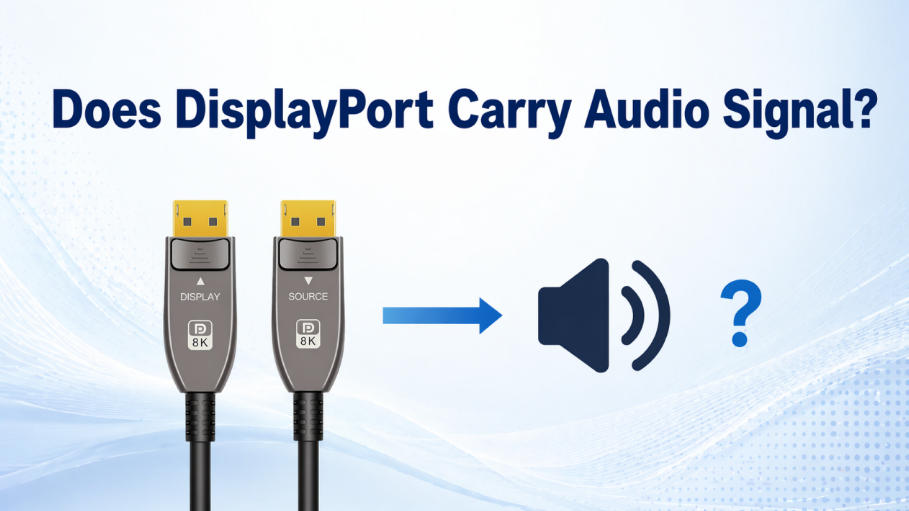
All DisplayPort versions from 1.1 and above support audio—and that covers the majority of devices in use today.
DisplayPort 1.1 introduced audio transmission alongside video, making it possible to deliver both through a single cable. If you're using DisplayPort 1.2, 1.4, or 2.1, full support for high-definition multichannel audio is built in. These versions handle formats like Dolby Atmos, DTS-HD, and standard stereo output with no issue.So as long as your cables, GPU, and output device all conform to the standard, DisplayPort can transmit audio.
Today, most PCs, docking stations, and monitors come with at least DisplayPort 1.2 or later, meaning that audio on DisplayPort is perfectly expected in standard use cases.
DisplayPort can transmit audio, but sometimes to get it working properly, you need to quickly check the device settings, adapter type, and whether the audio output is being received.
To enable audio via DisplayPort, you need to ensure three components work together: the output device (such as a computer or laptop), the DisplayPort cable itself, and the display (monitor, TV, or docking station). All devices must support audio pass-through. Outdated drivers and GPU limitations can cause DP to fail to transmit audio correctly. Therefore, you need to download the latest audio and graphics drivers.
While both DisplayPort and HDMI support audio, their roles in the industry, technical architectures, and long-term capabilities reveal key differences in their sound processing capabilities.
HDMI was conceived as an audio-visual standard interface tailored for the home theater ecosystem. Its natively integrated CEC control and ARC/eARC technology perfectly adapt to applications such as TVs, AV amplifiers, and audio passthrough. Since version 1.0, HDMI has established support for multi-channel LPCM and Dolby Digital, and subsequent iterations have expanded to include lossless audio formats such as Dolby Atmos and DTS-HD Master Audio.
In contrast, DisplayPort, spearheaded by VESA, is inherently PC-centric. Its core design focuses on providing ultra-high bandwidth video transmission performance, primarily serving high-performance GPUs, gaming monitors, and professional docking stations. At the protocol level, DisplayPort's audio functionality is optional; since version 1.1, it achieves synchronous audio and video transmission by converting the audio stream into secondary data packets and embedding them into the main video link.
While both are comparable in terms of final sound quality, DisplayPort's transmission mechanism places more stringent demands on the handshake and coordination between the underlying hardware and software. Especially when the signal passes through adapters, docking stations, or undergoes DP to HDMI protocol conversion, compatibility issues at any node in the link can easily lead to abnormal audio output.
HDMI dominates the consumer electronics market, widely used in devices such as TVs, game consoles, soundbars, and AV receivers. This highly unified ecosystem makes HDMI audio performance more stable and predictable across different devices, typically requiring only compatible cables for synchronized audio and video transmission.
In contrast, while DisplayPort is common in desktops and laptops, its application environments are more diverse. Some professional monitors do not integrate speakers, and in practical use, audio output can be affected by driver or system default audio device settings, resulting in inaccurate sound playback. This difference reflects both the flexibility of DisplayPort in computing platforms and introduces a degree of configuration complexity.
In terms of audio scalability, HDMI introduces enhancements such as eARC (Enhanced Audio Echo Channel), supports uncompressed 5.1 and 7.1 surround sound, and advanced object-based formats. It is specifically designed for integration with multi-device audiovisual chains in home theaters.
In contrast, DisplayPort is moving towards data-driven convergence. DisplayPort 2.0 and 2.1 support higher bandwidth (up to 80 Gbps) than HDMI 2.1, enabling USB-C audio-video, Thunderbolt integration, and virtual/mixed reality (VR/AR) workflows. Audio remains a secondary function, but it still fully supports high-fidelity, low-latency productivity and creative applications.
So, as mentioned above, DisplayPort does carry audio, and it has for many versions starting from DP 1.1. Whether you're connecting to a monitor, docking station, or adapter, DisplayPort supports high-quality sound when both your source and output devices are configured correctly.
However, if you want both high-quality display and good sound quality, then HDMI is definitely better than DisplayPort. DisplayPort is more commonly used in gaming displays, desktop computers, and esports, where high refresh rates and high bandwidth are required. HDMI, on the other hand, allows you to enjoy superior sound quality while appreciating beautiful picture quality.
At 8KHDMIAOC, we are dedicated to the R&D and manufacturing of premium active optical cables (AOC), including USB, HDMI, DisplayPort and Toslink solutions tailored for next-generation audiovisual ecosystems. Our fiber optic technology is engineered to push the boundaries of signal integrity, ensuring lossless performance and ultra-high bandwidth for professional-grade devices. Beyond our standard product portfolio, we excel in providing bespoke, mission-critical solutions customized to your specific technical requirements.
Please don’t hesitate to contact us.
| 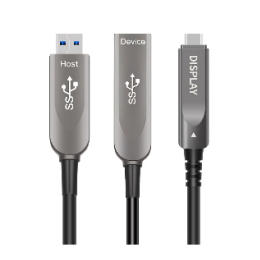 | 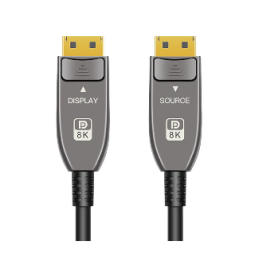 |
| HDMI AOC | fiber optic USB cable | DisplayPort AOC |
4K/8K,Hybrid/Pure Fiber Active Optical Cables | USB3.2/USB3 Hybrid/Pure Fiber Active Optical Cables | DP1.4/2.2 Hybrid/Pure Fiber Active Optical Cables |
8KHDMIAOC is the premier factory choice for sourcing Fiber Optical HDMI, USB, DisplayPort, AR &VR Headset Cables,Toslink cables and customized solutions, providing unmatched quality and reliability for high-definition audio, video, and data transmission needs.
Copyright © Shenzhen Fiberlink Tech Co., Ltd. All Rights Reserved. Trusted Partners:https://www.aocfiberlink.com/